One-tap SMS to customers — from your own number
After a status change the message is ready. Your phone opens the messaging app with the text filled in, and the order records who notified the customer and when.
- No SMS gateway
- Push notifications
- Automatic emails
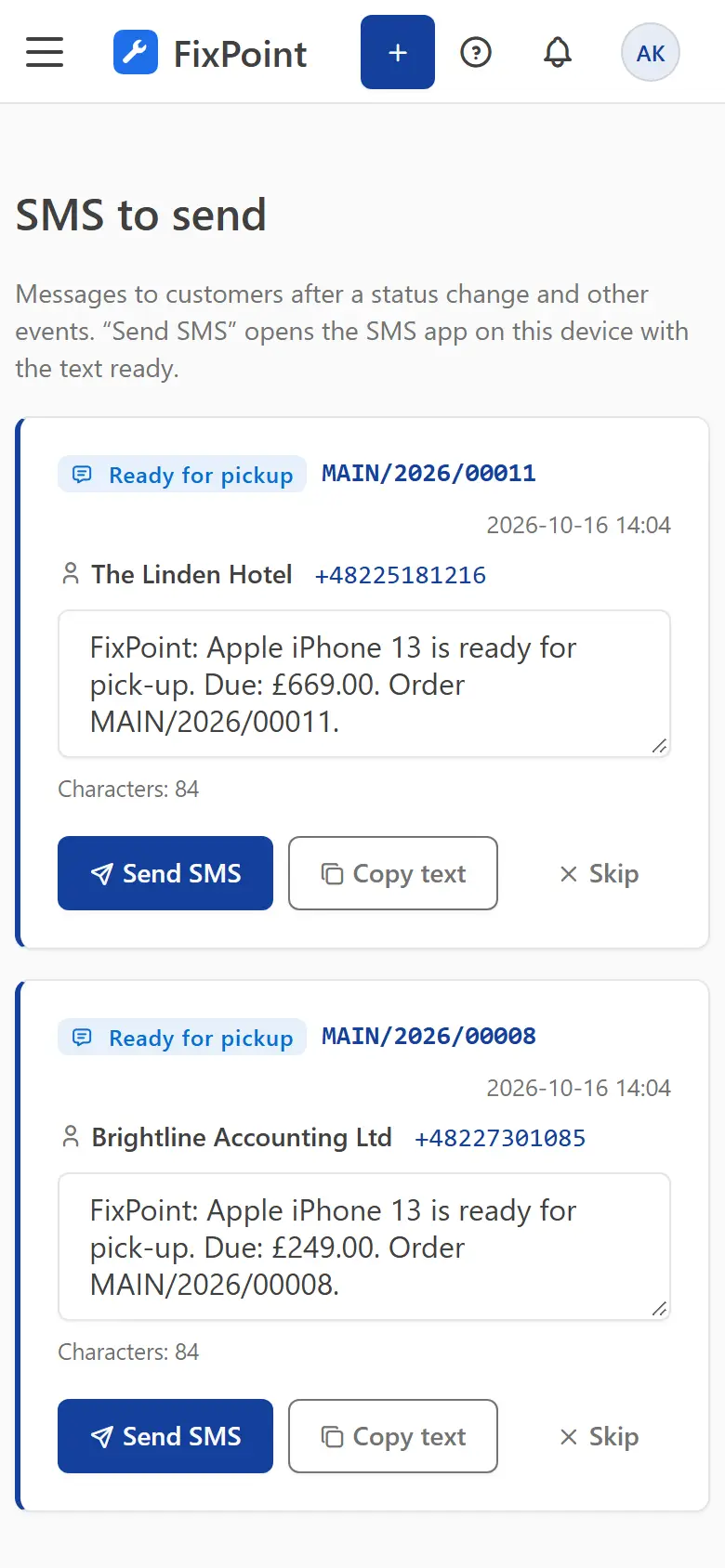
Notifications that save time
Ready-made SMS text
A template in the customer’s language with your shop name, order number and amount due.
Sent from your phone
The customer sees your number and can simply reply or call back.
Push notifications
Install the panel like an app on iOS and Android — your phone reminds you of SMS to send.
Automatic email
Intake, quote, ready-for-pickup and reminders go out by email without your involvement.
History on the order card
Every message saved with the order: channel, text, who sent it and when.
Your own templates
Edit the text for each event and language, with an SMS length preview.
Frequently asked questions
Do I need an SMS gateway?
No. The SMS goes out from the messaging app on your phone or computer, so there is no external service to set up.
How do I know an SMS needs sending?
The SMS tab shows the message queue, and with push notifications enabled your phone lets you know right away.
Do emails have to be sent manually too?
No. Emails go out automatically for the events you choose in the settings.
Get your repair shop organised today
Create an account, go through a short setup wizard and take in your first device within minutes. No installation needed.