Online repair status — here and on your website
Customers check repair progress any time: with the order number and code, from the link in a message, or in a widget on your own website.
- 6 clear stages
- A widget for your website
- Your colours and logo
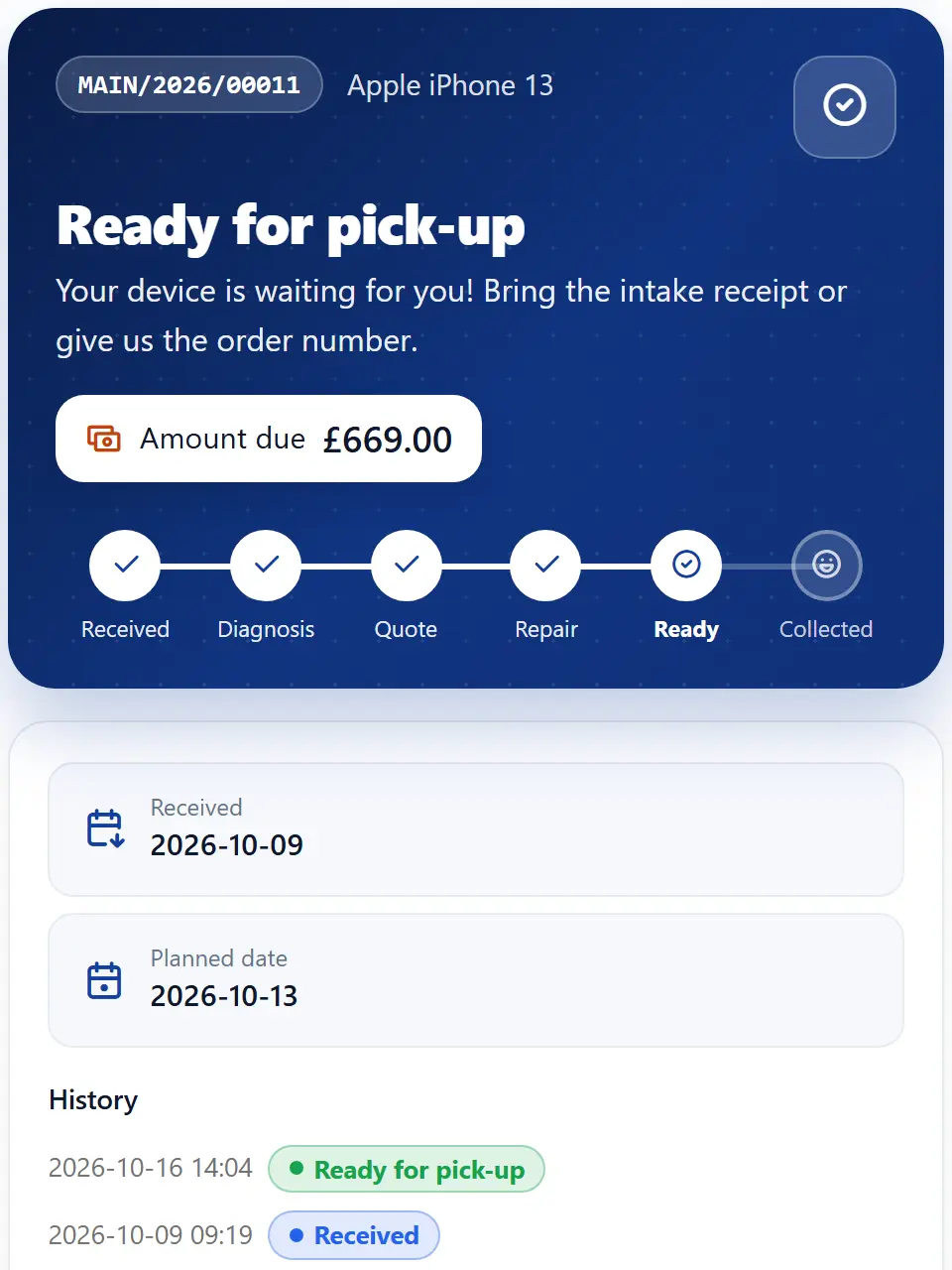
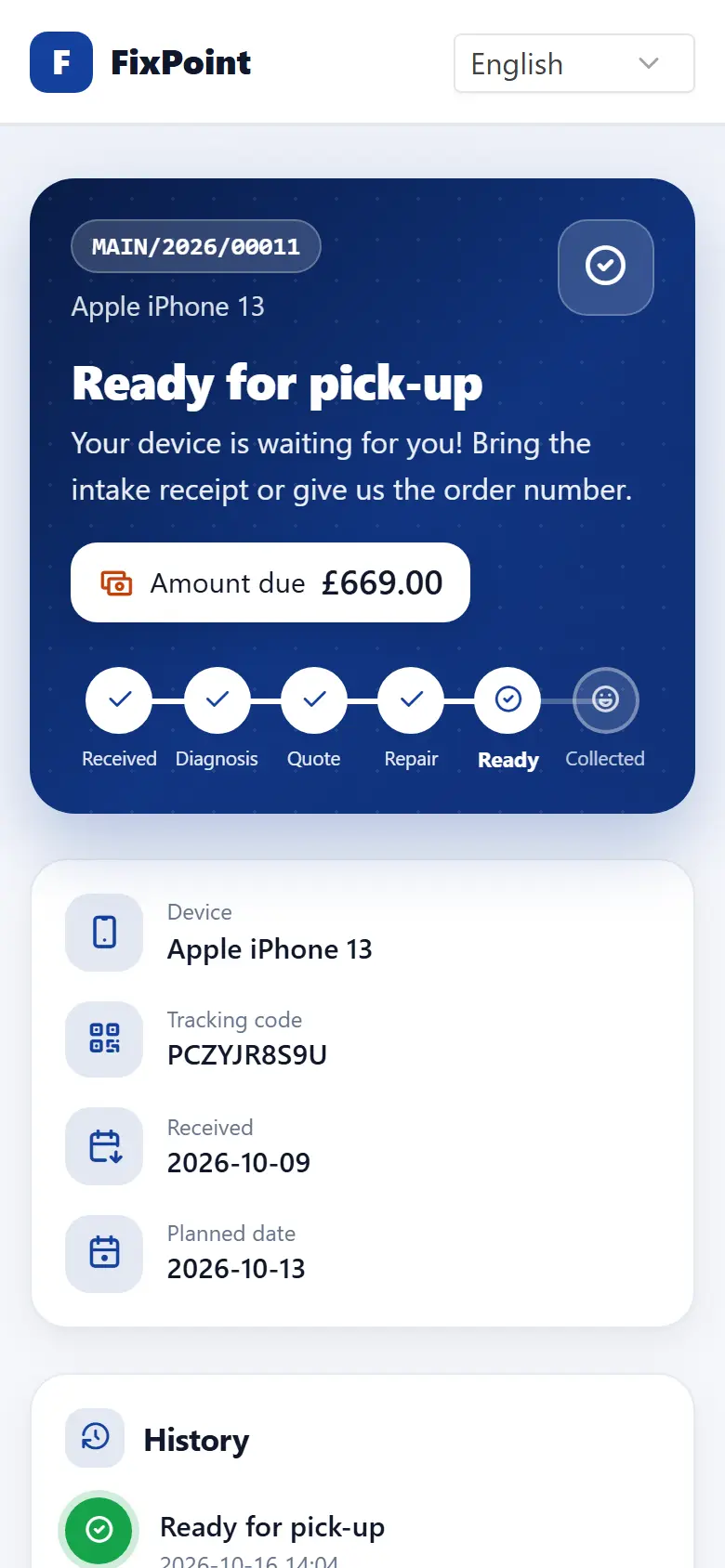
What your customer sees
Progress in 6 steps
Received, diagnosis, quote, repair, ready, collected — plus a plain-language line about what is happening now.
Amount due
The balance including deposits, visible right away without calling the shop.
Quote approval
When a quote is waiting, the customer accepts or rejects it on the same page.
Website widget
Paste a short snippet on your site — customers check the status without leaving it.
Branch details
Address, opening hours and buttons to call, navigate or write.
In the customer’s language
The status page in 8 languages, including right-to-left Arabic.
Frequently asked questions
How does a customer find their order?
They enter the order number and the code from the intake receipt, or tap the link in an email or SMS.
Can I show repair status on my own website?
Yes. Copy the short widget snippet from the settings and paste it on your site. You can limit the domains where it works.
Does the status page use my shop’s colours?
Yes. The logo, name and colour from your company settings appear on the status page and in the widget.
Get your repair shop organised today
Create an account, go through a short setup wizard and take in your first device within minutes. No installation needed.