Computer and laptop repair shop software
From diagnosis and quote to handover with a warranty — every order keeps its full history, and customers approve costs online before you order parts.
- Serial numbers and specs
- Data-loss risk consent
- Manufacturer repairs with RMA
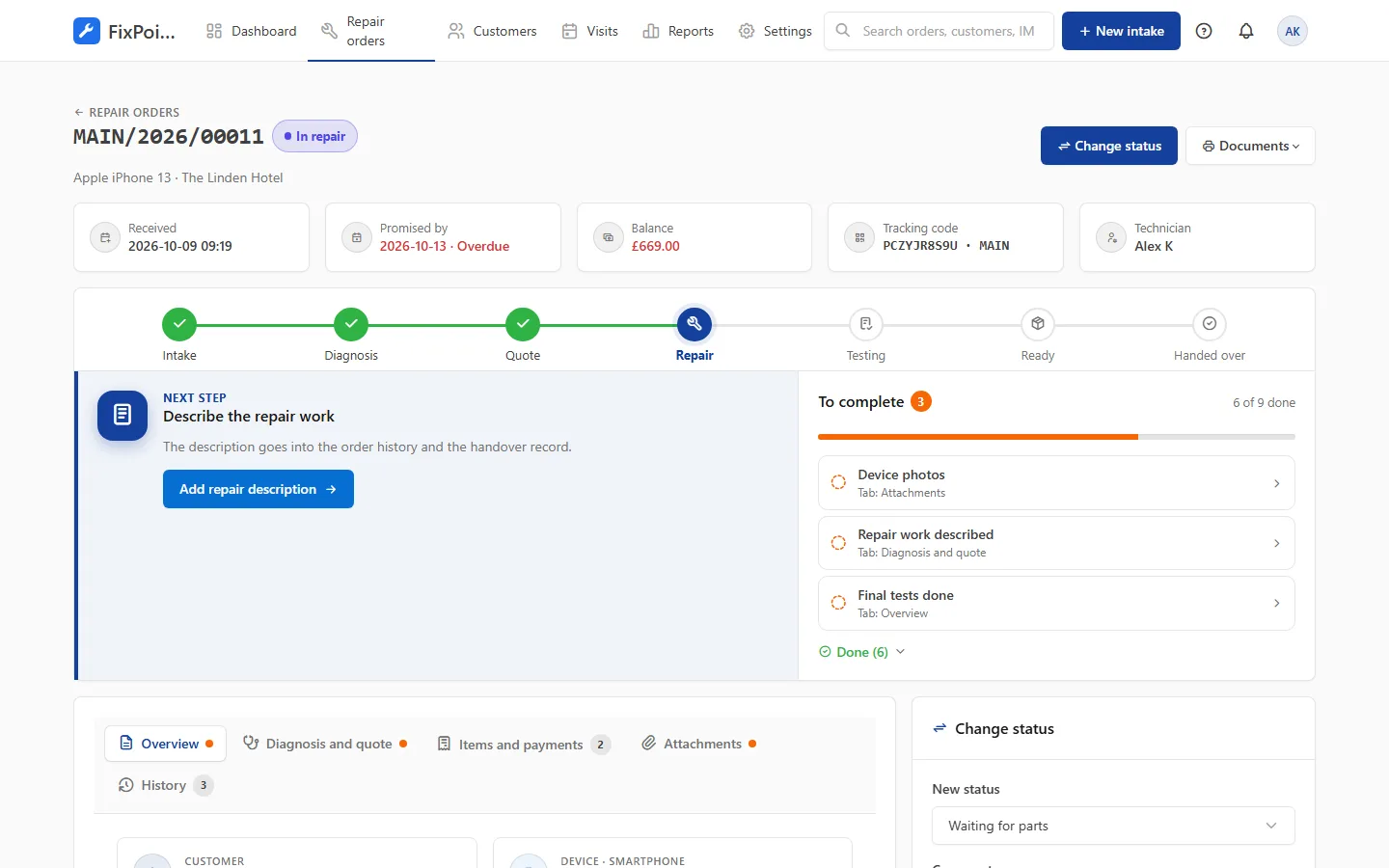
Tools for a computer repair shop
Device record
Brand, model, serial number, CPU, memory and disk — fields matched to laptop or desktop categories.
Customer data
Consent to the risk of data loss recorded at intake, together with backup information.
Quote before repair
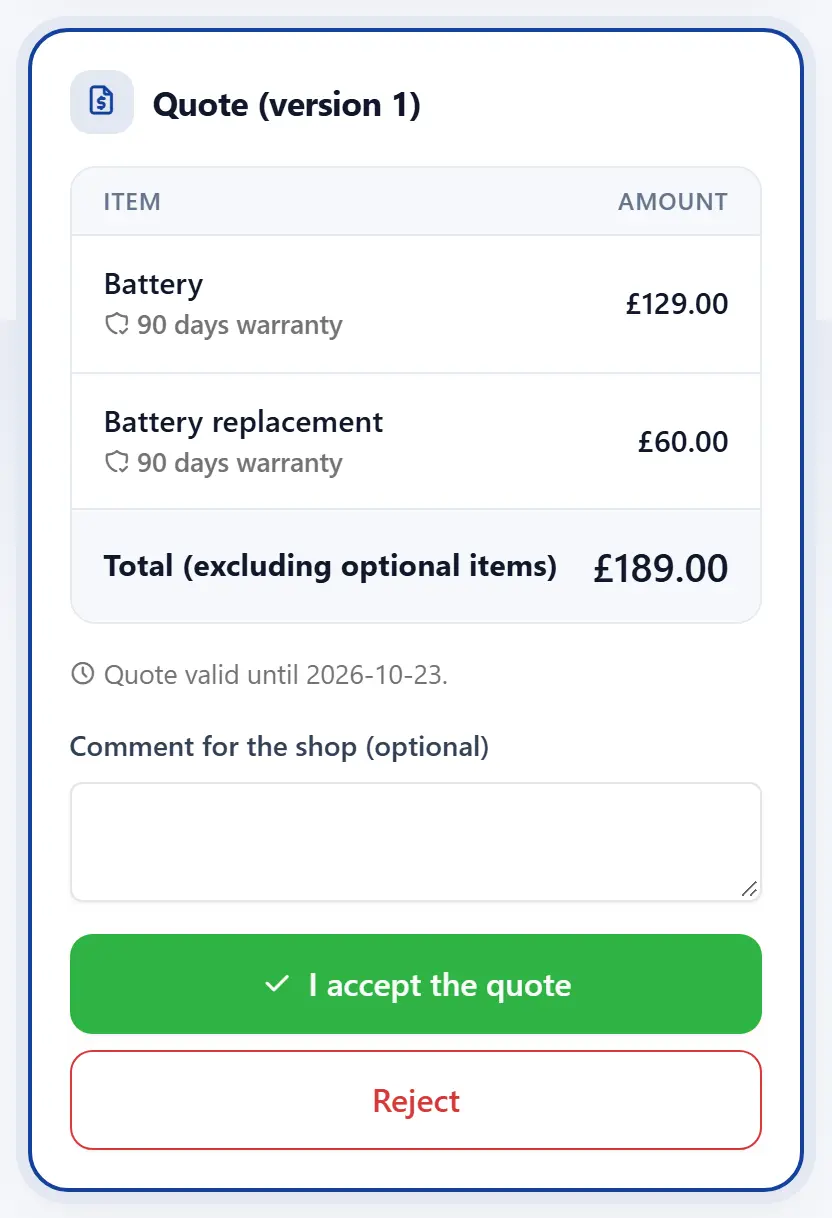
Diagnosis, parts and labour in one quote with optional items, e.g. an extra SSD.
Third-party repairs
Send to the manufacturer or another service with an RMA number, dates and cost — all on the order.
Device history
Previous repairs of the same laptop shown at intake; a warranty claim is created with one click.
Repair warranty
A warranty period on every item and a handover record for the customer.
Frequently asked questions
Can I record the computer’s configuration?
Yes. Categories have their own fields, e.g. CPU, RAM or disk, and you can add more.
How do I handle a manufacturer repair?
Record a third-party repair on the order: where the device went, the RMA number, dates and cost. The customer sees in the status that you are waiting for the manufacturer.
Can customers accept a quote online?
Yes. They get a link in a message, see the items and total, and the acceptance goes straight to the order.
Get your repair shop organised today
Create an account, go through a short setup wizard and take in your first device within minutes. No installation needed.