SMS from your own phone
When a status changes, the message is prepared for you. One tap opens the SMS app on your phone or computer — the customer gets a text from your number, no SMS gateway needed.
Intake, diagnosis, quotes, customer notifications and handover in one place. For phones, computers, TVs, consoles and home appliances.
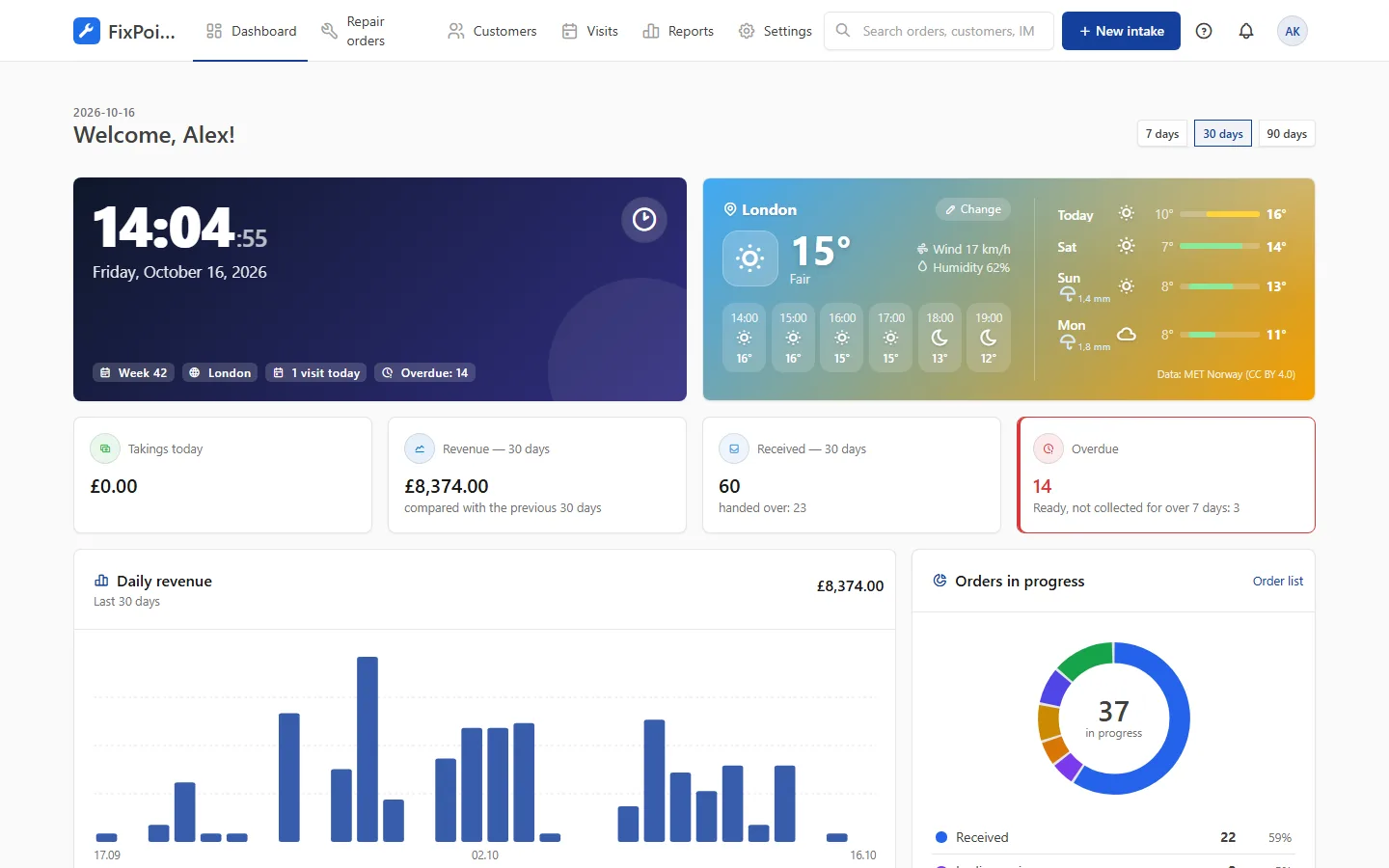
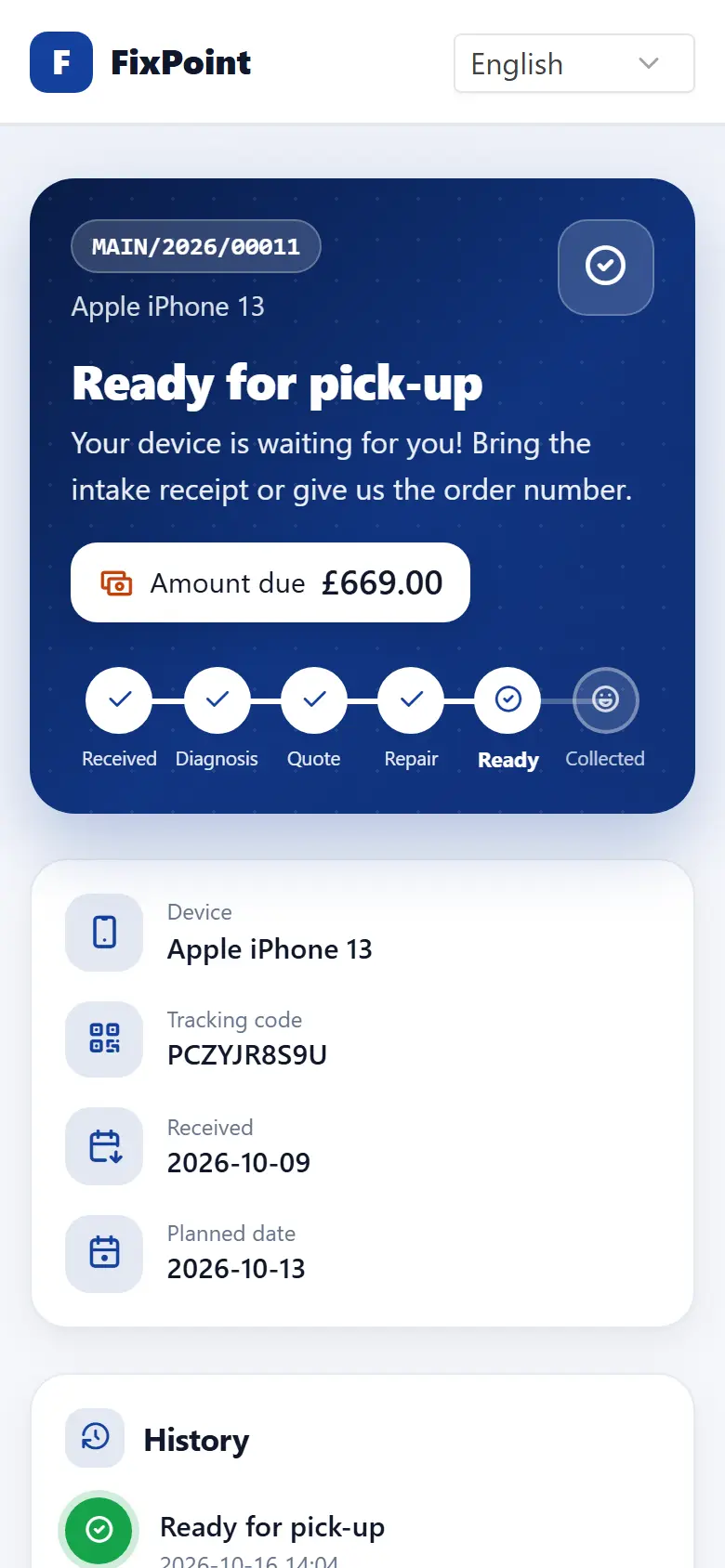
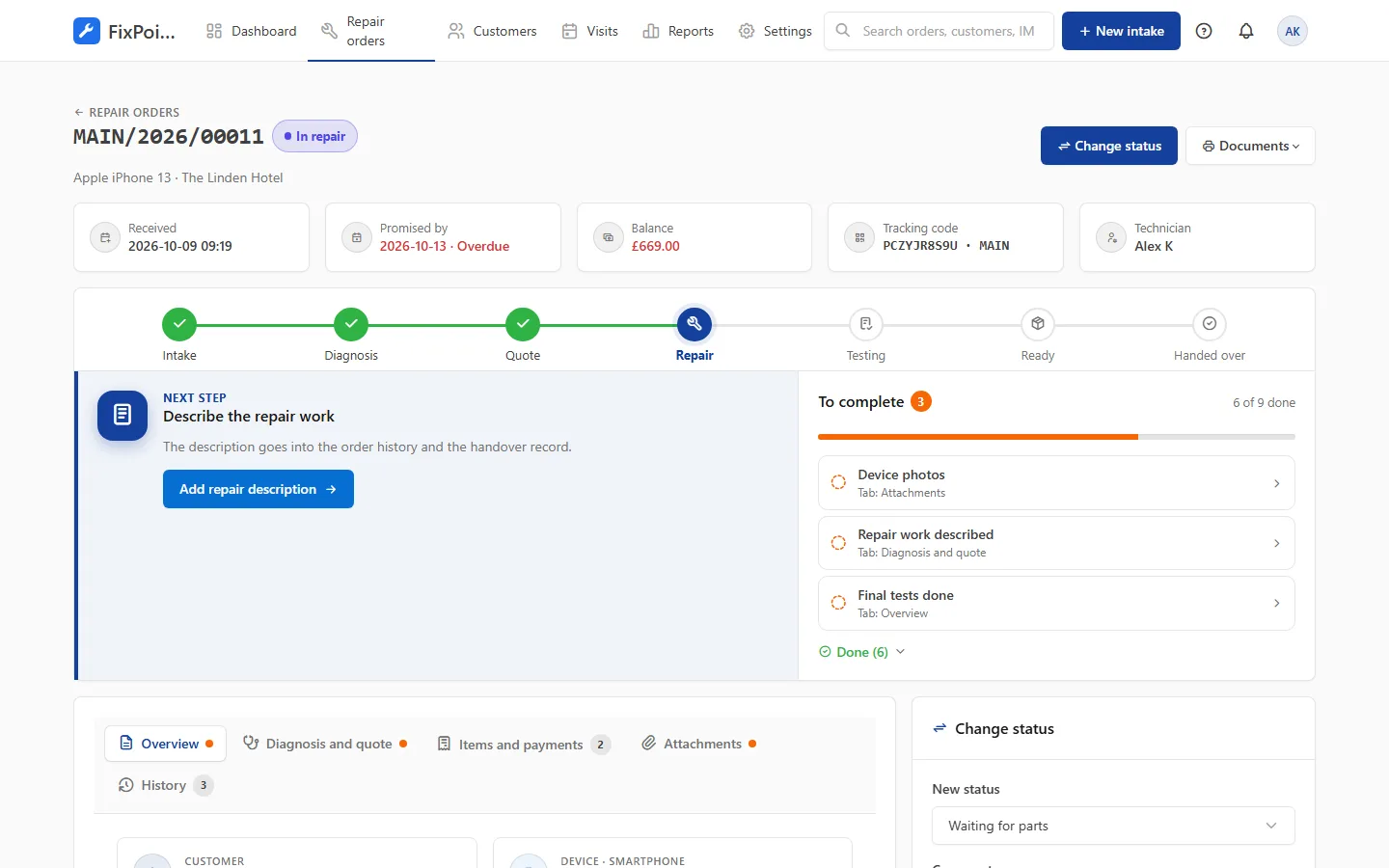
Real app screens with sample data.
We build the system together with the repair shops that use it. Here is what has arrived recently.
When a status changes, the message is prepared for you. One tap opens the SMS app on your phone or computer — the customer gets a text from your number, no SMS gateway needed.
Install the panel on iOS or Android like a regular app. A notification reminds you that a customer is waiting for a message.
Paste a short snippet and customers check their repair without leaving your site — in your shop’s colours.
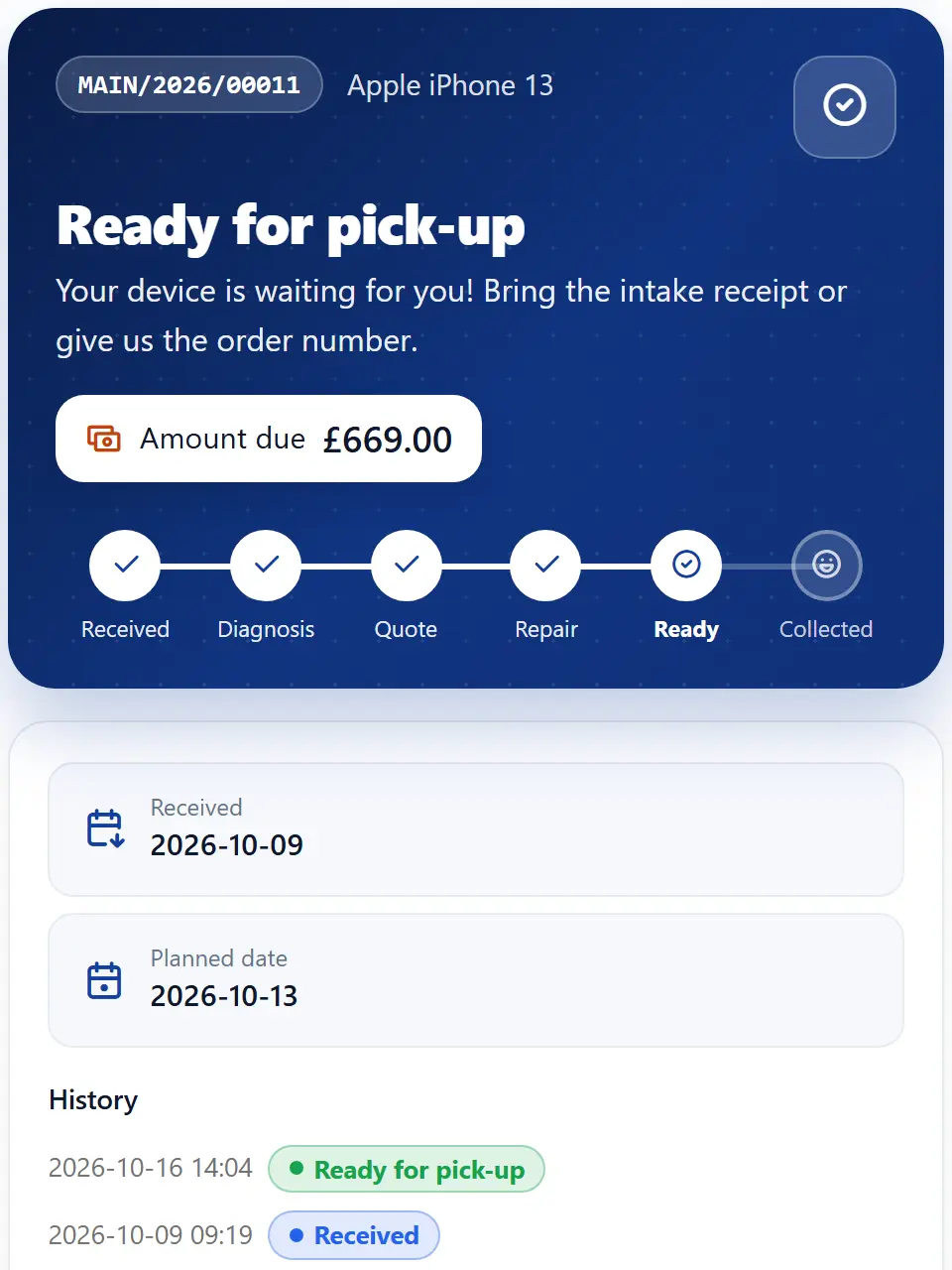
Progress in 6 steps, amount due, quote approval and buttons to call, navigate or write.
Each order tells you what to do next and what is still missing — with a link to the right tab.
The last digits of the IMEI are enough, phone numbers come with a country code, and lock patterns may repeat dots.
Panel, notifications and customer page in Polish, English, German, Spanish, French, Portuguese, Arabic and Hindi. The language is picked automatically from the browser.
The stage bar shows where the repair is, and the “Next step” section shows what needs doing now. The “To complete” list gathers missing photos, descriptions and tests, while customer decisions wait separately.
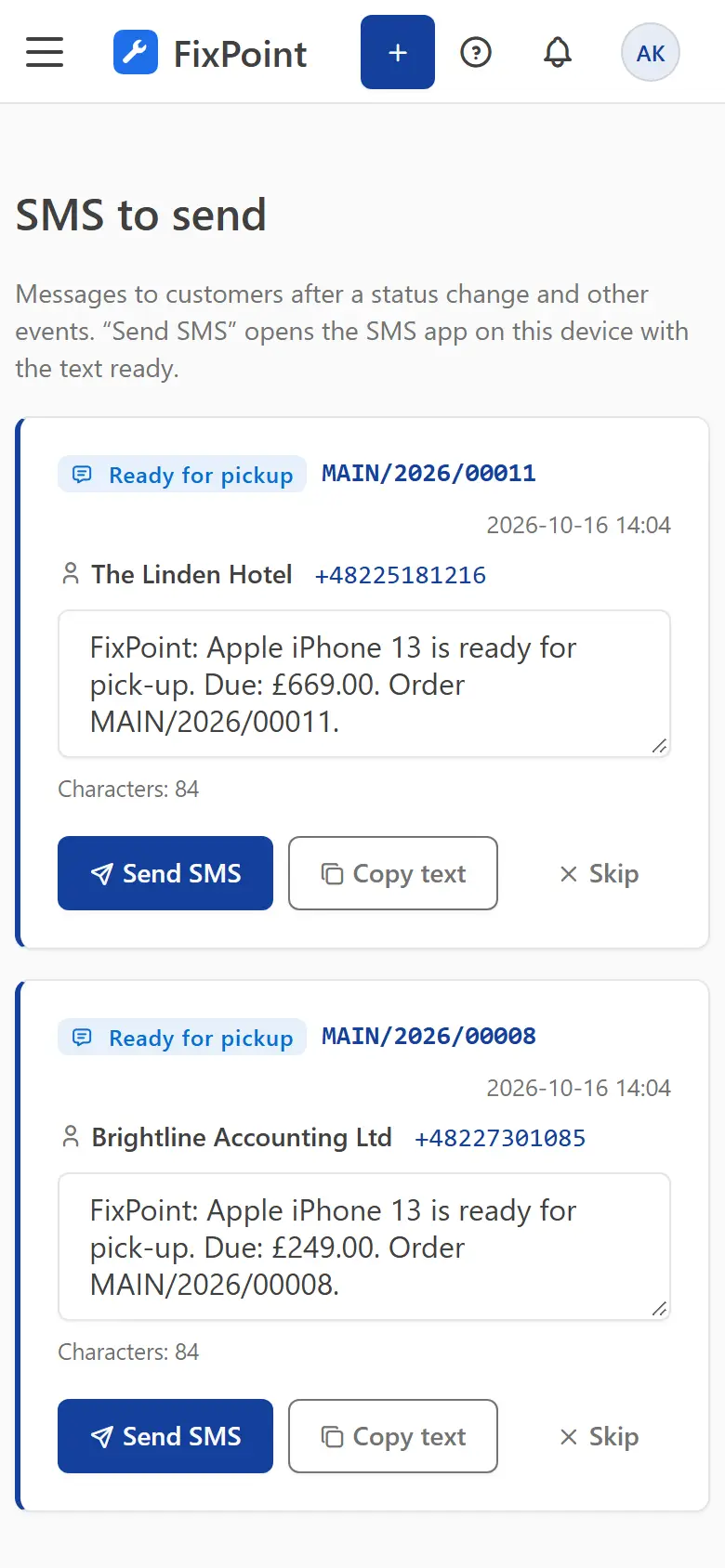
After a status change the message waits, ready, in the SMS tab. Tap “Send SMS”, your phone opens the messaging app with the text filled in, and the order records who notified the customer and when. Emails go out automatically.
Customers check progress with the order number and code, or straight from the link in a message. Embed the same view on your own website with one snippet of code.
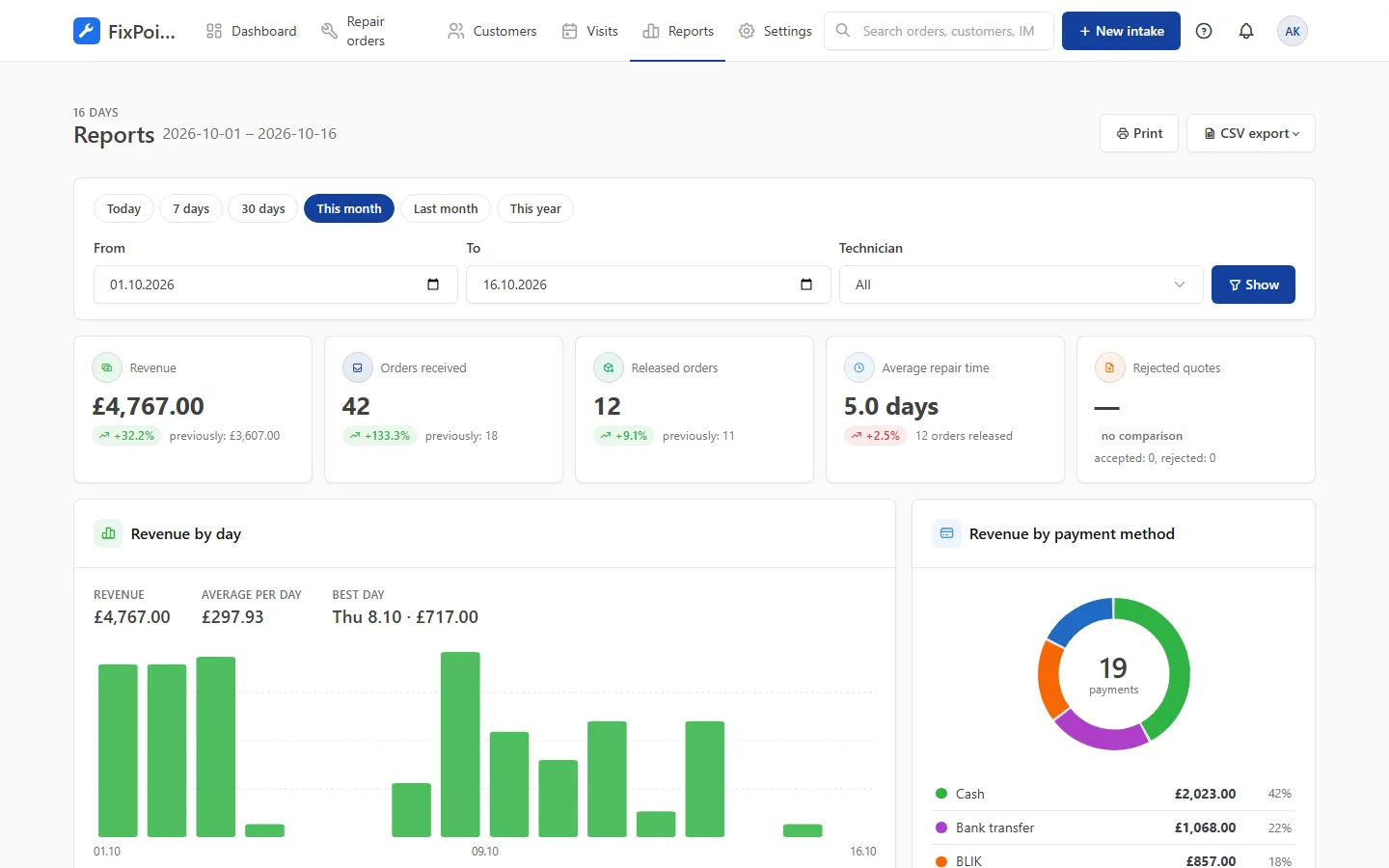
Revenue, received and released orders, average repair time and quote acceptance — compared with the previous period.
What a repair shop’s daily work looks like with each tool.
| Notebook and notes | Excel spreadsheet |  Nolu Nolu |
|
|---|---|---|---|
| Device intake | No Handwritten, easy to miss something | Partly Columns without checklist or photos | Yes Wizard with checklist and photos |
| Phone lock code | No Written in plain sight on paper | No Stored in plain text in a file | Yes Encrypted, every reveal logged |
| Status for customers | No Customers call and ask | No Customers call and ask | Yes 24/7 status page and a widget on your site |
| Notifications | No Every call and SMS by hand | No Every call and SMS by hand | Yes One-tap SMS ready, emails sent automatically |
| Quotes | No Agreed over the phone | Partly A separate file sent by email | Yes Approved online with one click |
| Deposits and balance | No Calculated by hand | Partly Formulas you have to watch | Yes Calculated automatically with each payment |
| Teamwork | No One notebook in one place | Partly File version conflicts | Yes Everyone at once, with roles and permissions |
| Reports | No None | Partly Manual summaries | Yes Ready reports and CSV export |
| Data backup | No The notebook can get lost | Partly Up to you | Yes Automatic nightly backup |
From the first customer contact to the end-of-month report — every stage of your work in one consistent system.
Every employee and every customer sees the system in their own language. Notifications, documents and the status page follow the customer’s language, and new visitors get their browser’s language straight away.
Arabic is displayed right-to-left, with the whole layout mirrored.
No rollout projects, training or installation. Most shops start working the same day.
Enter your company name and e-mail address. Confirm your address and you’re in.
A short wizard sets your company details, device types and order numbering and invites your team.
Ready-made categories and checklists for popular devices let you start right away.
Your shop handles other people’s phones and computers. That’s why security is built into every part of the system.
Learn moreUnlock codes encrypted and visible only to authorised staff
Roles and permissions — everyone sees only what they need
Activity log: who changed what and when
Customer data export and anonymisation in line with GDPR
No. The system runs in a web browser on computers, tablets and phones. All you need is internet access.
Usually within a quarter of an hour. After signing up, the setup wizard sets your company details, device types and order numbering, and ready-made categories and checklists let you take in your first device straight away.
Yes. You can create your own device categories, fields, intake checklists, order statuses and service price list.
On the status page they enter the order number and the code from the intake receipt, or click the link in a text or e-mail notification. There they see the repair progress and can approve the quote.
Yes. After a status change the system prepares the SMS text and you send it from your phone or computer with one tap — the message comes from your own number. Email notifications are sent automatically.
Yes. Each branch has its own address, opening hours and order numbering, and you assign staff to the branches they work at.
Create an account, go through a short setup wizard and take in your first device within minutes. No installation needed.